https://goodworld.in A website by Madhav Bhope

Reinvestment-Deposit-Calculator-Is Your Bank Calculating Your Fixed Deposit Interest Correctly? Find Out!

goodworld_reinvestment deposit featured image
reinvestment-deposit-calculator

Reinvestment Deposit Interest Calculator: Calculate Exact Bank Maturity Values easily

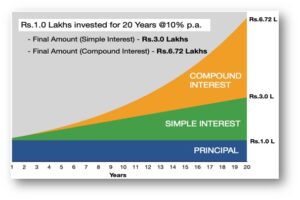
When you invest in a Fixed Deposit (FD) under a Reinvestment Plan (or Cumulative Scheme), the interest earned isn’t paid out monthly or quarterly. Instead, it gets added back to your principal every quarter, earning you “interest on interest.”
However, if you’ve ever tried calculating your maturity amount using standard online compounding calculators, you might have noticed a frustrating mismatch between your bank’s advice slip and online results.

Why Standard FD Calculators Give You the Wrong Numbers

Most general FD calculators calculate tenure using decimal years (for example, converting 5 years into 1,827 days and dividing by 365 to get 5.005479 years). While mathematically sound, that is not how Indian banks calculate interest!
In Indian banking, reinvestment deposits and premature closure payments are calculated following strict Indian Banks’ Association (IBA) and RBI-aligned guidelines:
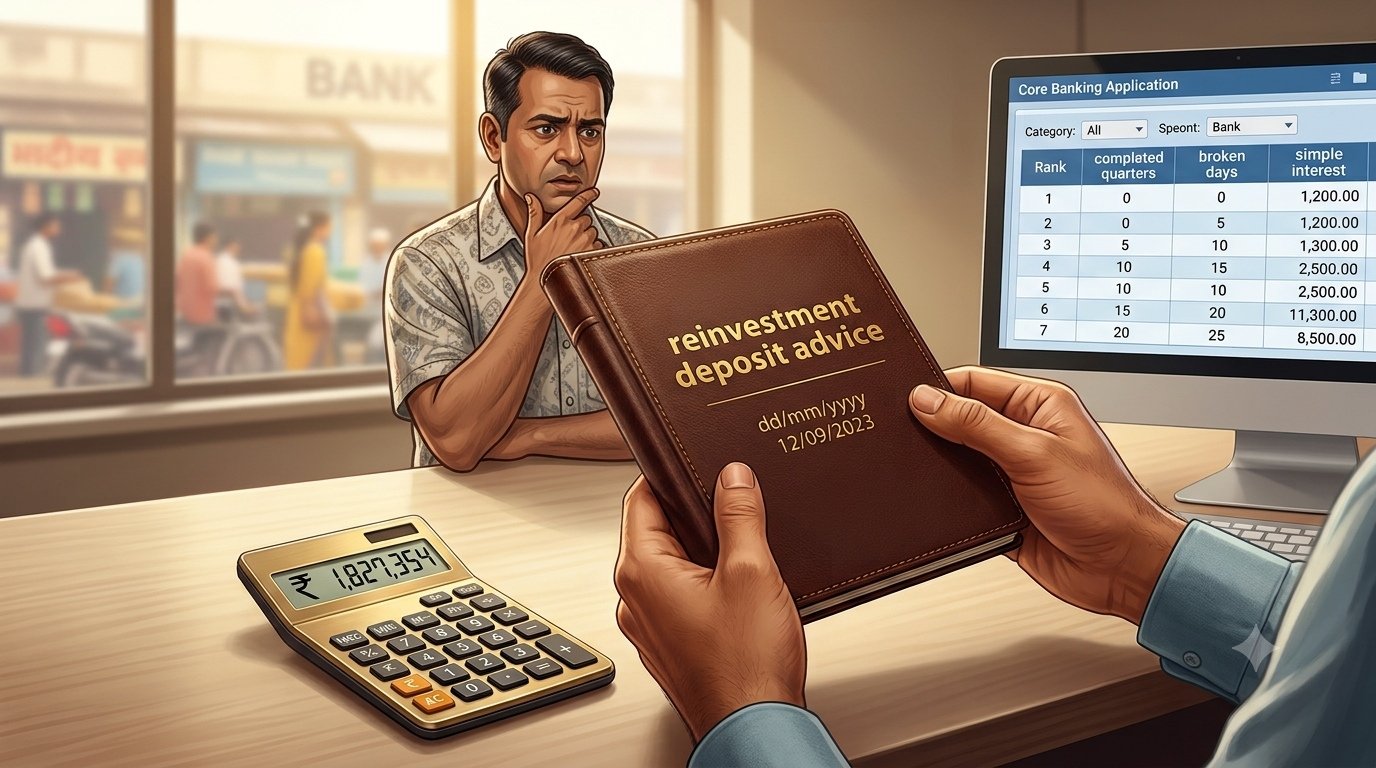
  1. Completed Quarters: Interest is compounded quarterly for every full quarter or year the deposit has run.
  2. Broken Period Days: Any remaining days after the last completed quarter earn Simple Interest calculated on the newly compounded amount.
Because regular calculators treat every day as compounded, they often overestimate or underestimate your actual maturity payout—sometimes by hundreds or thousands of rupees!

How Our Calculator Helps You Countercheck Your Bank

We built this Reinvestment Deposit Interest Calculator to bridge that gap and give you 100% bank-accurate calculations.
Whether you are planning a new cumulative FD or verifying a maturity advice slip received from Public or Private sector banks (like SBI, HDFC, ICICI, PNB, or Canara Bank), this tool shows you the exact arithmetic behind your returns.

Key Benefits for Depositors

  • Bank-Grade Precision: Calculates quarterly compounded interest for all completed quarters, along with simple interest for any broken period days, giving you an accurate mathematical estimate of your deposit’s growth.

  • Error-Free Date Selection: Features an intuitive visual date picker. On desktop browsers, dates typically display in the system calendar format (e.g., MM/DD/YYYY), eliminating manual typing errors and preventing invalid date inputs.

  • Automated Tenure & Breakdown: Automatically computes the total number of elapsed days, full compounding quarters, and remaining broken days.

  • Transparent TDS Modeling: Allows you to calculate exact Tax Deducted at Source (TDS) based on applicable rates (0%, 10%, or 20%), rounded off strictly to the nearest rupee per Income Tax guidelines.

How to Use the Calculator

  1. Select Dates: Click on the Deposit Date and Payment / Closure Date fields to open the drop-down calendar picker and choose your start and end dates.

  2. Enter Principal Amount: Input the initial sum deposited into the account (in ₹).

  3. Specify Interest Rate: Enter the applicable annual interest rate (% p.a.), including any senior citizen or staff benefits if applicable.

  4. Choose Compounding Frequency: Select Quarterly (standard for most Indian reinvestment deposits), Half-Yearly, or Yearly.

  5. Select TDS Rate: Choose 0% (if Form 15G/15H is submitted or total interest is below the threshold), 10% (standard deduction with PAN), or 20% (higher deduction without PAN).

  6. Calculate: Click the Calculate button to view your full calculation breakdown and net payable amount.

Treatment of TDS and Tax Reconciliation

When a reinvestment deposit matures or is prematurely closed, banks are required under Section 194A of the Income Tax Act to deduct TDS on the total interest earned during the financial year if it exceeds the statutory threshold.

  • Net Payable Amount: The actual net amount credited to your bank account will be the Gross Maturity Amount minus the TDS Deducted (rounded off to the nearest rupee).

  • Reconciliation & Verification: Using this calculator gives you a clear upfront breakdown of the gross interest earned versus the tax retained by the bank. You can use these calculated figures to cross-check and reconcile the entries reflected in:

    • The bank’s quarterly/annual TDS Certificate (Form 16A).

    • Your Form 26AS on the Income Tax e-Filing portal.

    • Your Annual Information Statement (AIS).

 
Try the tool below to verify your Fixed Deposit maturity value today!


Madhav Bhope


Reinvestment Deposit Interest Calculator

Reinvestment Deposit Interest Calculator

Calculation Result

Principal Amount
Total Tenure Breakdown
Total Elapsed Days
Gross Interest Amount
Gross Amount Payable
TDS Deductible (Rounded)
Net Amount Payable After TDS

Bank Calculation Breakdown

Note: Interest is calculated per standard Indian banking practices: compound interest for completed quarters, plus simple interest on the compounded amount for any remaining broken days. Calculations do not include premature closure penalties or revised interest rates. TDS is rounded off to the nearest rupee per Income Tax rules.

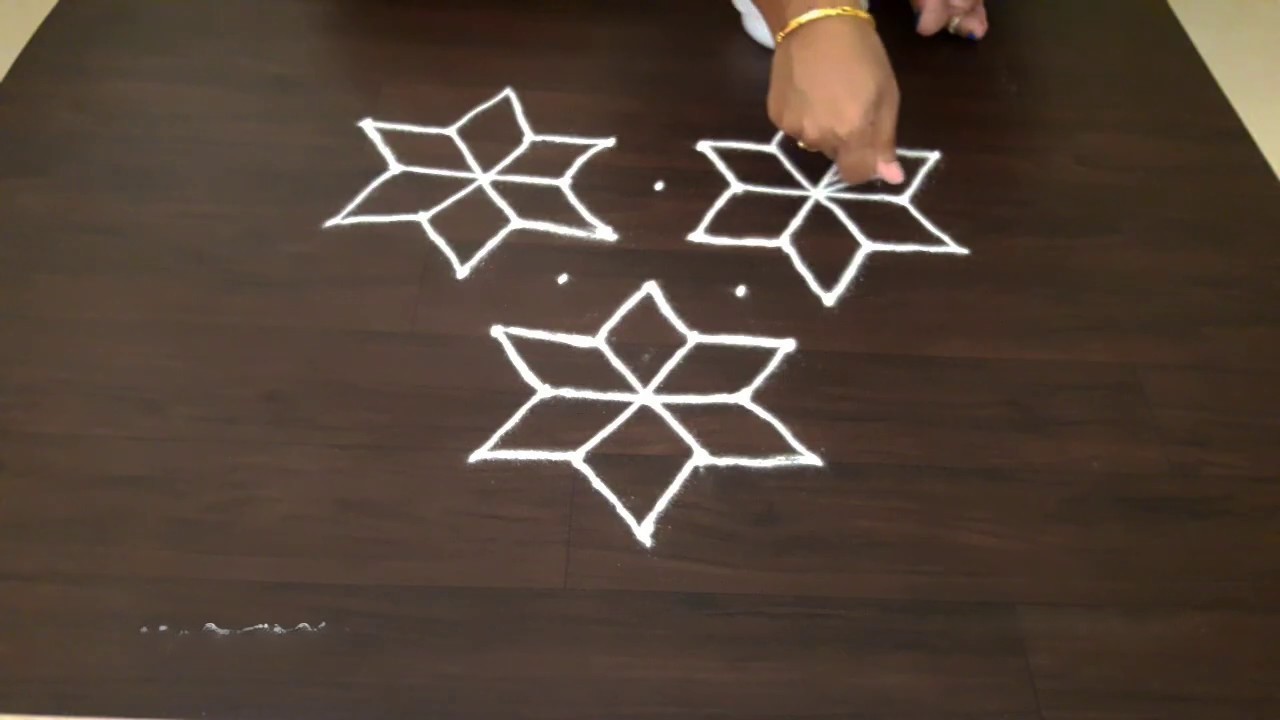
रांगोळी- uncolored-and-colored-rangoli

rangoli-4

Uncolored-and-colored-rangoli

आपण यापूर्वी रंगीत रांगोळीचे असंख्य प्रकार आणि डिझाईन्स तयार करणारे टूल या वेबसाईट वर टाकले होते. त्यात आपण म्हटले होते की जर तुम्हाला कोणताही रंग न देता नुसती प्लेन रांगोळी पाहिजे असेल  तसे टूल आपण लवकरच देणार आहोत. 

आता आपण त्याप्रमाणे बिना रंगाची रांगोळी आणि तिचे असंख्य डिझाईन्स काढणारे टूल घेऊन आलो आहोत. यामध्ये आपण किती ठिपके आणि किती ओळींची रांगोळी पाहिजे ते निवडा, आणि ‘रांगोळी काढा‘ हे बटन दाबा, त्याबरोबर एक रांगोळी तयार होईल. ‘दुसरी रांगोळी‘ हे बटन दाबल्यावर, दुसऱ्या डिझाईनची रांगोळी तयार होईल, अशा असंख्य प्रकारच्या रांगोळ्या आपण तयार करू शकता. आपण ही बिना रंगाची रांगोळी बघून तशी रांगोळी आपल्या अंगणात काढू शकता, किंवा ती डाऊनलोड करून साध्या कागदावर प्रिंट काढून आपल्या मुलांना रंग भरण्यासाठी देऊ शकता. 

आपल्याला जर रंग भरलेली रांगोळी पाहिजे असेल तर आपण ‘रंग भरा‘ हे बटन दाबून रांगोळीत रंग भरलेले पाहू शकता. त्या रंगांमध्ये आपणास काही बदल हवा असल्यास खाली दिलेल्या अनेक रंगांच्या palette मधून आपल्या आवडीचे रंग भरू शकता.!

रांगोळी ✦

Indian Rangoli Pattern Generator  ·  By Goodworld.in
ठिपके (Dots) columns
ओळी (Lines) rows
आकार (Size) pixels
रंग निवडा · Click a color, then click any region on the design
रांगोळी काढा — outline design to print & colour by hand  |  रंग भरा — fill with digital colours

रांगोळी — परंपरा आणि तंत्रज्ञानाचा सुंदर संगम

By Goodworld.in

रांगोळीचे सांस्कृतिक महत्त्व

रांगोळी ही भारतीय संस्कृतीतील एक अत्यंत प्राचीन आणि पवित्र कला आहे. शतकानुशतके भारतातील घराघरांत सणावारी, उत्सवांच्या प्रसंगी आणि दैनंदिन जीवनातही अंगणात रांगोळी काढण्याची परंपरा चालत आली आहे. दिवाळी, दसरा, संक्रांत, ओणम अशा सणांच्या वेळी तर रांगोळी काढणे अनिवार्यच मानले जाते. या कलेत केवळ सौंदर्यनिर्मितीच नाही, तर घरात सुख, समृद्धी आणि सकारात्मक ऊर्जा आमंत्रित करण्याची भावना असते.

रांगोळीची सुरुवात छोट्या ठिपक्यांपासून होते. एक ठराविक रचनेत ठिपके मांडायचे — ज्याला ‘ठिपक्यांची रांगोळी’ म्हणतात — आणि त्या ठिपक्यांना जोडत जोडत एक सुंदर, सममितीय नक्षीकाम साकारायचे. प्रत्येक घरातील रांगोळी वेगळी असते, कारण प्रत्येक स्त्री तिच्यात स्वतःची सर्जनशीलता ओतत असते. त्यामुळेच एकाच ठिपक्यांच्या संख्येतून अनंत प्रकारच्या रांगोळ्या तयार होऊ शकतात.

तंत्रज्ञानाने रांगोळी कलेला नवी उंची

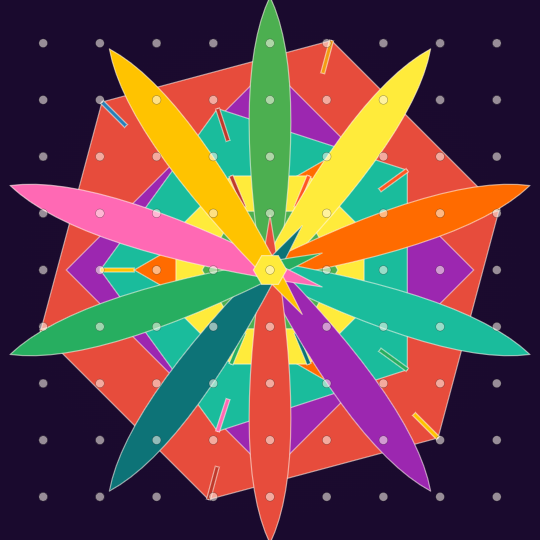
Goodworld.in ने एक अभिनव डिजिटल साधन तयार केले आहे — रांगोळी जनरेटर. या साधनाच्या मदतीने तुम्ही अगणित रांगोळी नमुने तयार करू शकता, ते ही केवळ काही सेकंदांत! पारंपरिक पद्धतीनुसार, वापरकर्त्याला फक्त ठिपक्यांची संख्या (स्तंभ) आणि ओळींची संख्या द्यायची आहे. उर्वरित काम हे स्मार्ट साधन आपोआप करते — त्रिकोण, चौकोन, षटकोण, वर्तुळे, कमळपाकळ्या अशा विविध भौमितिक आकारांचा वापर करून एक सुंदर, सममितीय रांगोळी तयार करते.

या डिजिटल रांगोळी जनरेटरमुळे नव्या पिढीला पारंपरिक कलेशी ओळख होते, तर वृद्ध पिढीला नव्या प्रेरणा मिळतात. शिवाय, डिजिटल रांगोळी डाऊनलोड करून ती ग्रीटिंग कार्ड, सोशल मीडिया पोस्ट किंवा सजावटीसाठी वापरता येते.

रांगोळी — परंपरा आणि तंत्रज्ञानाचा सुंदर संगम-Rangoli-Tradition and technology

lotus rangoli

हे साधन कसे वापरावे?

१. ठिपके, ओळी आणि आकार एकाच ओळीत असलेल्या तीन चौकटींमध्ये आपल्या इच्छेनुसार संख्या टाका.

२. ‘रांगोळी काढा’ बटणावर क्लिक करा — एक सुंदर रांगोळी तयार होईल.

३. ‘दुसरी रांगोळी’ बटणावर क्लिक करा आणि त्याच ठिपक्यांमधून वेगळी नक्षी पाहा.

४. रंग निवडा विभागातून आपला आवडता रंग निवडा आणि रांगोळीच्या कोणत्याही भागावर क्लिक करून त्याला रंग द्या.

५. तयार रांगोळी ‘Download’ बटणाने PNG स्वरूपात जतन करा.

रांगोळी ✦

Indian Rangoli Pattern Generator  ·  By Goodworld.in
ठिपके (Dots) columns
ओळी (Lines) rows
आकार (Size) pixels
रंग निवडा · Click a color, then click any region on the design
Dots shown as reference · Click a color then click any region to repaint

रांगोळी — परंपरा आणि तंत्रज्ञानाचा सुंदर संगम

By Goodworld.in

रांगोळीचे सांस्कृतिक महत्त्व

रांगोळी ही भारतीय संस्कृतीतील एक अत्यंत प्राचीन आणि पवित्र कला आहे. शतकानुशतके भारतातील घराघरांत सणावारी, उत्सवांच्या प्रसंगी आणि दैनंदिन जीवनातही अंगणात रांगोळी काढण्याची परंपरा चालत आली आहे. दिवाळी, दसरा, संक्रांत, ओणम अशा सणांच्या वेळी तर रांगोळी काढणे अनिवार्यच मानले जाते. या कलेत केवळ सौंदर्यनिर्मितीच नाही, तर घरात सुख, समृद्धी आणि सकारात्मक ऊर्जा आमंत्रित करण्याची भावना असते.

रांगोळीची सुरुवात छोट्या ठिपक्यांपासून होते. एक ठराविक रचनेत ठिपके मांडायचे — ज्याला ‘ठिपक्यांची रांगोळी’ म्हणतात — आणि त्या ठिपक्यांना जोडत जोडत एक सुंदर, सममितीय नक्षीकाम साकारायचे. प्रत्येक घरातील रांगोळी वेगळी असते, कारण प्रत्येक स्त्री तिच्यात स्वतःची सर्जनशीलता ओतत असते. त्यामुळेच एकाच ठिपक्यांच्या संख्येतून अनंत प्रकारच्या रांगोळ्या तयार होऊ शकतात.

तंत्रज्ञानाने रांगोळी कलेला नवी उंची

Goodworld.in ने एक अभिनव डिजिटल साधन तयार केले आहे — रांगोळी जनरेटर. या साधनाच्या मदतीने तुम्ही अगणित रांगोळी नमुने तयार करू शकता, ते ही केवळ काही सेकंदांत! पारंपरिक पद्धतीनुसार, वापरकर्त्याला फक्त ठिपक्यांची संख्या (स्तंभ) आणि ओळींची संख्या द्यायची आहे. उर्वरित काम हे स्मार्ट साधन आपोआप करते — त्रिकोण, चौकोन, षटकोण, वर्तुळे, कमळपाकळ्या अशा विविध भौमितिक आकारांचा वापर करून एक सुंदर, सममितीय रांगोळी तयार करते.

या डिजिटल रांगोळी जनरेटरमुळे नव्या पिढीला पारंपरिक कलेशी ओळख होते, तर वृद्ध पिढीला नव्या प्रेरणा मिळतात. शिवाय, डिजिटल रांगोळी डाऊनलोड करून ती ग्रीटिंग कार्ड, सोशल मीडिया पोस्ट किंवा सजावटीसाठी वापरता येते.

Rangoli — Where Tradition Meets Technology

By Goodworld.in

The Cultural Significance of Rangoli

Rangoli is one of India’s most ancient and cherished art forms. For thousands of years, Indian women have adorned their doorsteps and courtyards with intricate geometric designs made from coloured powders, flower petals, or rice flour. Far more than mere decoration, rangoli carries deep spiritual meaning — it is believed to welcome prosperity, invite positive energy, and honour the goddess Lakshmi into the home.

During festivals such as Diwali, Dussehra, Pongal, and Onam, rangoli becomes an essential ritual across every region of India. What makes this art form truly extraordinary is that it begins with nothing more than a grid of dots — called ‘thiṭake’ in Marathi — laid out in rows and columns. The artist then connects these dots with flowing lines to create perfectly symmetrical patterns of triangles, hexagons, lotus petals, stars, and countless other shapes. Each home’s rangoli is uniquely its own, a reflection of individual creativity within a shared cultural tradition.

An Innovative Leap: The Digital Rangoli Generator

Goodworld.in has created a pioneering digital tool that brings this timeless art form into the modern age. The Rangoli Generator uses intelligent algorithms to produce an endless variety of authentic rangoli patterns — each one unique, perfectly symmetrical, and instantly ready to colour and download. The tool honours the traditional dot-grid foundation of rangoli while harnessing the power of computer geometry to generate combinations that would take a human artist hours to conceive and draw.

This innovation bridges generations — introducing younger audiences to a classical Indian art form through an engaging digital experience, while giving experienced artists fresh patterns for inspiration. The generated designs can be downloaded as high-resolution PNG files, making them ideal for greeting cards, social media posts, festive decorations, or simply as a starting template for physical rangoli.

How to Use the Rangoli Generator

  1. Set your grid: Enter the number of dots (columns), lines (rows), and canvas size in the three compact input fields — all conveniently placed in a single row.
  2. Generate: Click the orange ‘🎨 रांगोळी काढा’ button. A symmetrical rangoli pattern will appear instantly.
  3. Try another: Click ‘🔄 दुसरी रांगोळी’ to generate a completely different pattern from the same grid — every click produces a fresh design.
  4. Colour it: Select any colour from the ‘रंग निवडा’ palette, then click any region of the rangoli to fill it. Mix and match to express your personal creativity.
  5. Download: Save your finished rangoli as a PNG image using the gold Download button at the bottom.

जर तुम्हाला कोणताही रंग न देता नुसती प्लेन रांगोळी पाहिजे असेल तर उद्या याच ठिकाणी तसे टूल मिळेल. उद्याही नक्की पहा आणि हे टूल जतन करून ठेवा.

स्पायरोग्राफ – गणिताची जादू, कलेचा आविष्कार- Spirograph

goodworld_Spirograph canva featured image

स्पायरोग्राफ — गणिताची जादू, कलेचा आविष्कार Spirograph — The Magic of Mathematics in Art

Spirograph- Single Color

Bg Color

Line Color


Spirograph- MultiColor

Bg Color


Spirograph 

स्पायरोग्राफ — गणिताची जादू, कलेचा आविष्कार

By Goodworld.in

स्पायरोग्राफ म्हणजे काय?

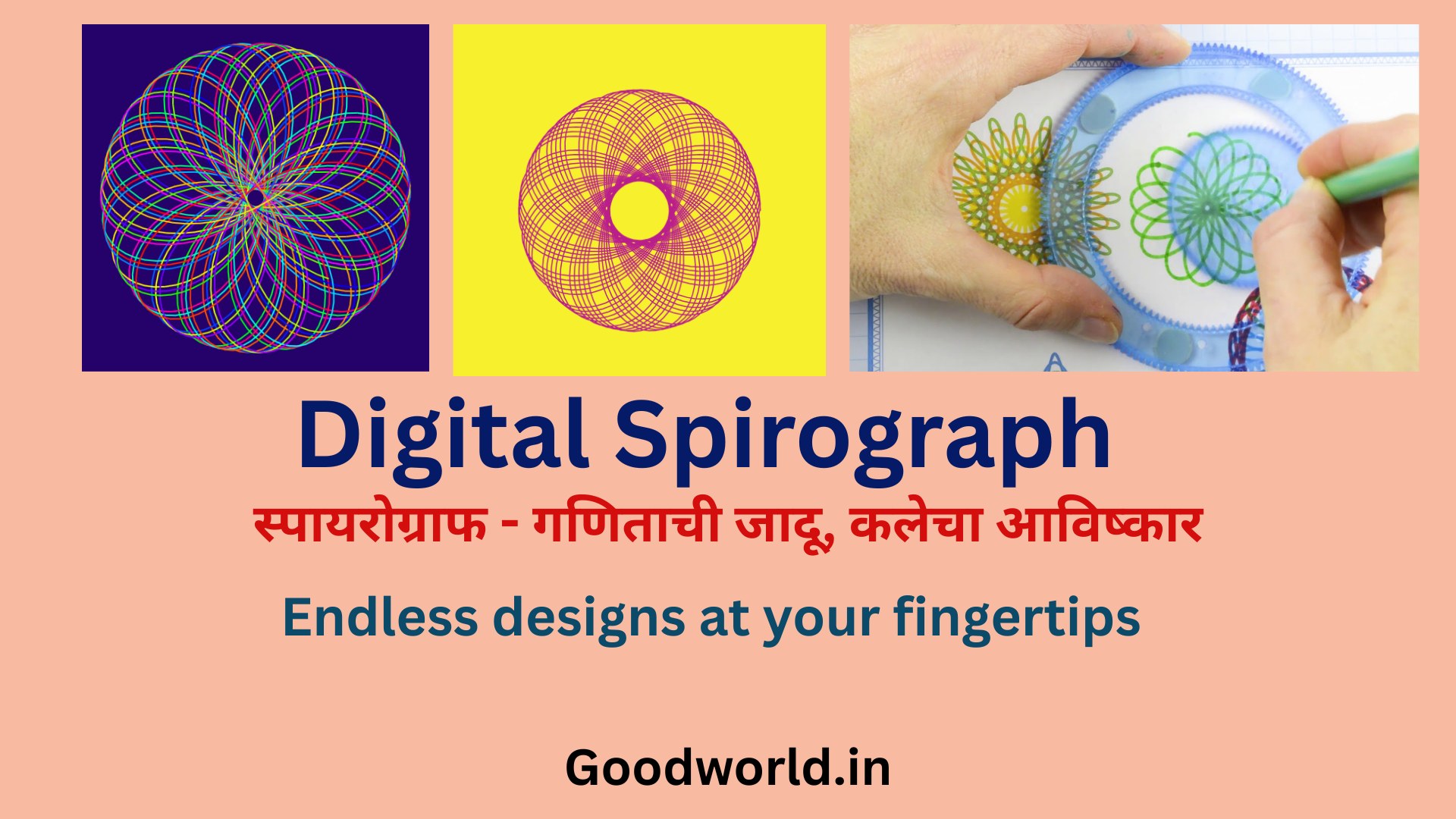
स्पायरोग्राफ हे एक अद्भुत चित्रकला साधन आहे जे गणित आणि कला यांचा अनोखा संगम घडवून आणते. मूळतः हे एक यांत्रिक खेळणे होते — एक मोठे दातेरे चाक आणि त्याच्या आत फिरणारे एक लहान चाक. लहान चाकाच्या छिद्रांमध्ये पेन ठेवला की, एक सुंदर, सममितीय वक्ररेषा तयार होते. या वक्ररेषांना गणितात ‘हायपोट्रोकॉइड’ (hypotrochoid) किंवा ‘एपिट्रोकॉइड’ (epitrochoid) असे म्हणतात.

१९६५ साली ब्रिटिश अभियंता डेनिस फिशर यांनी हे खेळणे बाजारात आणले आणि जगभरातील मुलांमध्ये ते खूपच लोकप्रिय झाले. पण स्पायरोग्राफची खरी गंमत म्हणजे — केवळ तीन आकडे बदलले तरी हजारो वेगवेगळ्या आकृत्या तयार होतात! ही त्रिसूत्री म्हणजे — स्थिर वर्तुळाची त्रिज्या (R), फिरत्या वर्तुळाची त्रिज्या (r) आणि पेनची स्थिती (d).

डिजिटल स्पायरोग्राफ जनरेटर — अनंत आकृत्या, एका क्लिकवर

Goodworld.in ने या पारंपरिक संकल्पनेला आधुनिक तंत्रज्ञानाची जोड देऊन एक डिजिटल स्पायरोग्राफ जनरेटर तयार केला आहे. या साधनात दोन आकर्षक प्रकार आहेत — एकरंगी स्पायरोग्राफ आणि बहुरंगी स्पायरोग्राफ. एकरंगी प्रकारात तुम्ही पार्श्वभूमीचा रंग आणि रेषेचा रंग स्वतंत्रपणे निवडू शकता. बहुरंगी प्रकारात रेषा स्वयंचलितपणे इंद्रधनुष्याच्या रंगात रंगतात, ज्यामुळे एक अत्यंत देखणी, रंगीबेरंगी आकृती तयार होते.

तीन स्लायडर्सच्या साहाय्याने — R (स्थिर त्रिज्या), r (फिरती त्रिज्या) आणि d (पेन ऑफसेट) — तुम्ही या आकृत्यांमध्ये अनंत बदल घडवू शकता. एखाद्या फुलाची पाकळी, तारकाकृती, जाळीदार नमुना, लहरी वक्र — सगळे काही या तीन मूल्यांच्या खेळातून साकार होते. गणिताचे हे सौंदर्य अनुभवणे खरोखरच थरारक आहे!

हे साधन शिक्षक, विद्यार्थी, कलाकार, ग्राफिक डिझायनर आणि फक्त रंग-रेषांच्या दुनियेत रमणाऱ्या प्रत्येकासाठी उपयुक्त आहे. तयार केलेली आकृती PNG स्वरूपात डाऊनलोड करता येते, जी ग्रीटिंग कार्ड, वॉलपेपर, सजावट किंवा प्रिंट यासाठी वापरता येते.

हे साधन कसे वापरावे?

  1. एकरंगी किंवा बहुरंगी — आपल्या आवडीनुसार स्पायरोग्राफचा प्रकार निवडा.
  2. R (स्थिर त्रिज्या) स्लायडर सरकवा — हे मुख्य वर्तुळाचा आकार ठरवते. मोठे R म्हणजे मोठी आकृती.
  3. r (फिरती त्रिज्या) स्लायडर बदला — हे आकृतीच्या पाकळ्यांची संख्या आणि आकार ठरवते.
  4. d (पेन ऑफसेट) स्लायडर बदला — हे रेषेची घनता आणि आकृतीची जटिलता ठरवते.
  5. एकरंगी आवृत्तीमध्ये ‘Bg Color’ आणि ‘Line Color’ पिकरने रंग बदला. बहुरंगी आवृत्तीमध्ये फक्त पार्श्वभूमी रंग निवडा.
  6. आकृती आवडली की Download बटणावर क्लिक करा आणि PNG फाईल जतन करा.

Spirograph — The Magic of Mathematics in Art

By Goodworld.in

What is a Spirograph?

A spirograph is a remarkable drawing instrument that bridges the worlds of mathematics and art. Originally a mechanical toy invented by British engineer Denys Fisher in 1965, it uses a system of interlocking toothed wheels — a large fixed ring and a smaller rotating disc — to produce mesmerising, perfectly symmetrical curves. By placing a pen through one of the holes in the moving disc and letting it trace its path, you create what mathematicians call a hypotrochoid or epitrochoid — elegant looping curves that nature itself seems to favour.

The true wonder of the spirograph lies in how dramatically its output changes with just three numbers: R (the radius of the fixed outer circle), r (the radius of the rolling inner circle), and d (the offset distance of the pen from the centre of the rolling circle). Vary these three values and you unlock thousands of entirely different patterns — from delicate flower petals to dense star polygons, from open lacy lattices to tightly wound spirals. It is one of the most vivid demonstrations of how mathematics generates beauty.

The Digital Spirograph Generator — Infinite Designs at Your Fingertips

Goodworld.in has reimagined this classic concept as a powerful digital tool — the Spirograph Generator. It offers two exciting variants. The Single-Colour Spirograph lets you independently choose the background colour and the line colour using intuitive colour pickers, giving you full creative control over mood and contrast. The Multi-Colour Spirograph automatically renders the lines in a flowing rainbow gradient, cycling through the full spectrum as the curve unfolds, producing breathtakingly vibrant designs.

Every adjustment to the three sliders — R, r, and d — instantly redraws the pattern on screen. The interplay between these values is endlessly surprising: a small nudge to r might transform a simple five-petal flower into a complex 17-pointed star; shifting d can change an open airy design into a densely woven mandala. No two combinations produce the same result, which means the tool can generate a virtually unlimited number of unique designs.

This tool is a joy for students discovering mathematical beauty for the first time, for teachers demonstrating geometry and trigonometry visually, for artists and graphic designers seeking unique motifs, and for anyone who simply loves playing with colour and form. Every design can be downloaded as a high-resolution PNG, ready for use as a greeting card, wallpaper, print, or decorative element.

How to Use the Spirograph Generator

  1. Choose your variant — open either the Single-Colour or the Multi-Colour Spirograph Generator.
  2. Adjust the R slider (Fixed Radius) — this controls the overall size of the pattern. A larger R gives a bigger design.
  3. Adjust the r slider (Moving Radius) — this determines the number and shape of the looping petals or points in your design.
  4. Adjust the d slider (Pen Offset) — this controls how tight or open the loops are, and how complex the overall pattern becomes.
  5. In the Single-Colour version, use the Bg Color and Line Color pickers to set your preferred colours. In the Multi-Colour version, simply select your background colour — the rainbow lines are automatic.
  6. When you are happy with your design, click the Download button to save it as a PNG image file.

✦  https://Goodworld.in  ✦

You may like to buy spirograph instrument online for gifting to someone-

  1. Spirograph Geometric (Set Of 4)-

  2. Royals Plastic Spirograph Designing Full Tool Set

I may earn a small commission if you use above links to buy.

Free Online Image Compressor – Compress JPG & PNG to Specific KB Size

goodworld_image compressor featured

Goodworld Image Compressor

Compress JPG, PNG, SVG or GIF with the best quality and compression

View Dimensions in:-
Select Or Drag & Drop Images Here
Target Size: Kb
ℹ️ Note: Physical dimensions (MM/CM) are calculated at 96 DPI for screen accuracy. Maximum 10 images.

📝 How to Use the Goodworld Image Compressor

In today’s digital world, large image files can slow down your website, clog your email, and make document uploads frustrating. The Goodworld Image Compressor is designed to solve these problems by giving you total control over your file size without sacrificing visual clarity.

Simple Steps to Compress Your Images:

  1. Select Your Format: Before uploading, you can use the dimension toggle to view your images in Pixels, MM, or CM. This is particularly useful for students and professionals filling out official forms.

  2. Upload Your Files: Click on the “Select Images” button or simply drag and drop up to 10 images at once into the dashed box. You will see a real-time gallery of your selected images with their current sizes.

  3. Set Your Target Size: Enter your desired file size in the Target Size (Kb) box. If you need a file under 200kb, simply type “200.” Our tool uses a precision algorithm to get as close to that limit as possible without exceeding it.

  4. Compress and Download: Click “Reduce Size.” Once processed, you can preview the compressed version, compare it to the original size, and download them individually or as a convenient ZIP file.

If you make a mistake, use the “Reset” button to start fresh. It’s fast, secure,   and entirely browser-based!

In your desktop, you can add it to your bookmarks bar to access it easily.

How to bookmark Goodworld image compressor

Using the Star Icon (Easiest)

  1. Open the page:
    https://goodworld.in/image-compressor-kb/

  2. Click the ⭐ Star icon at the right end of the address bar.

  3. In the popup:

    • Name: Goodworld Image Compressor (or any short name)

    • Folder: Select Bookmarks Bar

  4. Click Done.

The link will immediately appear on the Bookmarks Bar.

Thus you can easily access this tool anytime while working in google chrome.


BMI Calculator

bmi calculator featured image
BMI Calculator | Body Mass Index Calculator - Free Tool

⚖️ BMI Calculator

Calculate Your Body Mass Index - A Standard Screening Tool for Weight Categories

Height

ft
in
OR
cm
Select height in feet/inches OR centimeters

Weight

lbs
OR
kg
Select weight in pounds OR kilograms

📊 Your BMI Results

0.0
Underweight
< 18.5
Normal
18.5 - 24.9
Overweight
25 - 29.9
Obese I
30 - 34.9
Obese II+
> 35

📖 What is BMI?

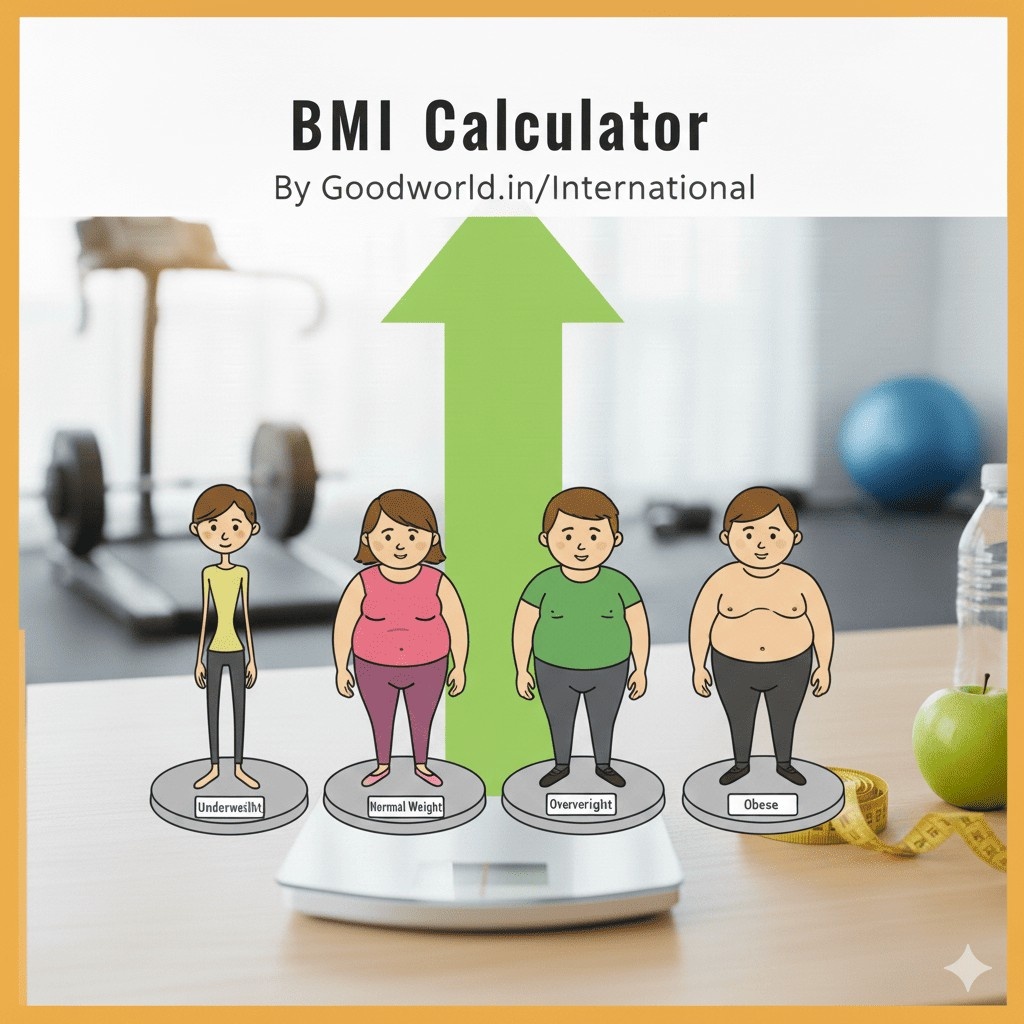
Body Mass Index (BMI) is a simple calculation using a person's height and weight. The formula is BMI = kg/m² where kg is a person's weight in kilograms and m² is their height in meters squared.

⚕️ BMI Categories for Adults (WHO Standard)

  • Underweight: BMI less than 18.5
  • Normal weight: BMI 18.5 to 24.9
  • Overweight: BMI 25 to 29.9
  • Obesity (Class I): BMI 30 to 34.9
  • Obesity (Class II): BMI 35 to 39.9
  • Obesity (Class III): BMI 40 or greater

⚠️ Limitations of BMI

BMI has some limitations:

  • Doesn't distinguish between muscle and fat
  • May overestimate body fat in athletes and muscular individuals
  • May underestimate body fat in older persons and those who have lost muscle
  • Doesn't account for body fat distribution
  • Not suitable for children, pregnant women, or some ethnic groups

Note: BMI is a screening tool, not a diagnostic tool. Consult a healthcare provider for a comprehensive health assessment.